1.Getting started
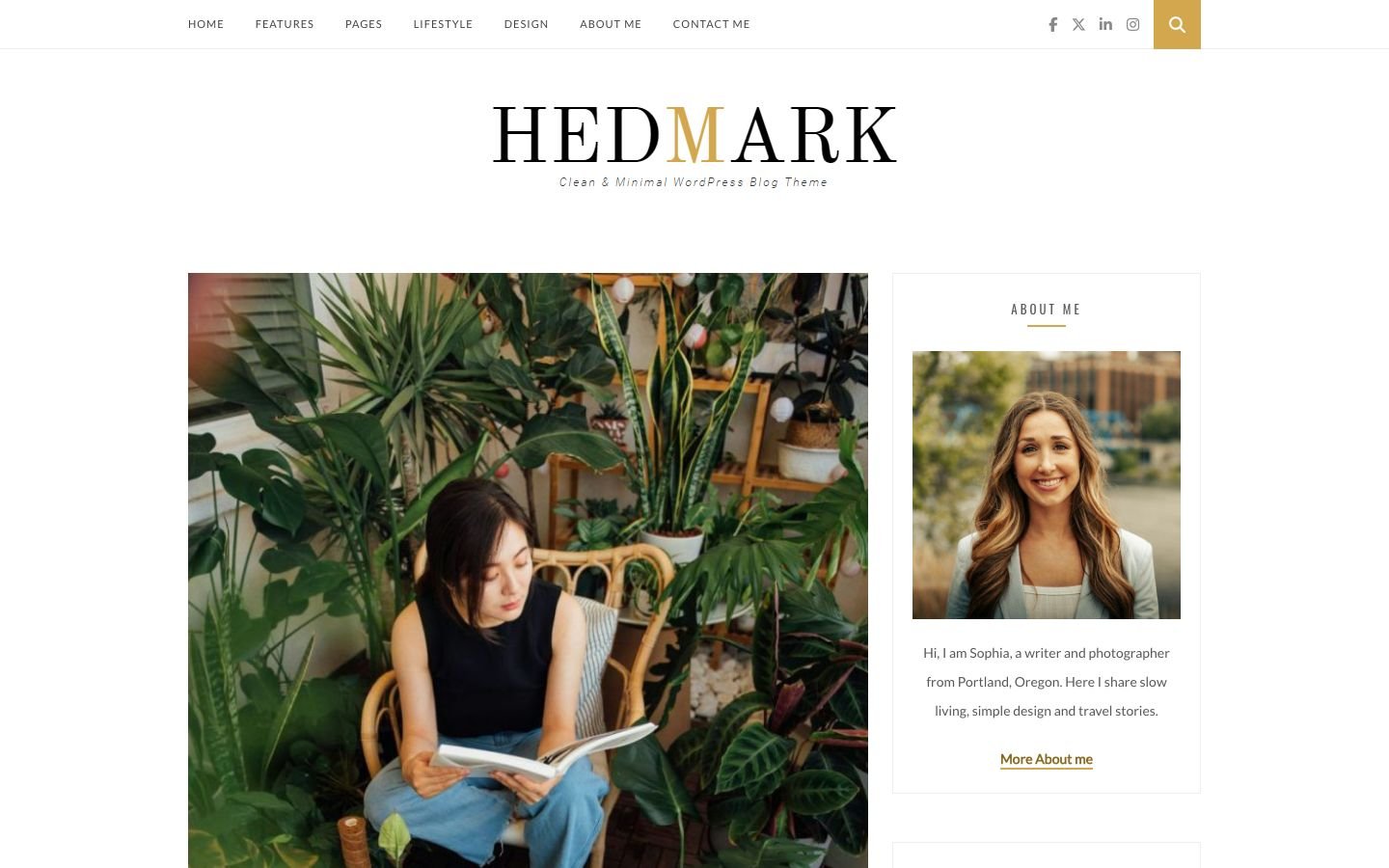
Hedmark is a clean, minimal and fast personal blog theme. It keeps the look and the simple way of working of Hedmark 1.x: a standard blog home, a sidebar with widgets, a Page Builder template for list and standard layouts, and audio, video and gallery posts. Version 2.0 is a maintenance release: it runs cleanly on current PHP and WordPress, it is faster and lighter, and the demo import is safe.
Requirements
| Minimum | Tested | |
|---|---|---|
| WordPress | 6.4 | 7.1 |
| PHP | 7.4 | 8.2 - 8.5 |
| Memory limit | 128 MB | 256 MB |
What is in the download
| File / folder | What it is |
|---|---|
hedmark.zip | The theme. Upload this file in WordPress. |
documentation/ | This guide (open index.html in a browser). |
Licensing/ | GPL licence and third-party licences. |
Install the theme
- Go to Appearance › Themes › Add New › Upload Theme.
- Choose
hedmark.zipand click Install Now, then Activate. - A notice asks you to install the plugins. Click Begin installing plugins (next section).
hedmark folder to wp-content/themes/ with FTP, or ask your host to raise upload_max_filesize.Plugins
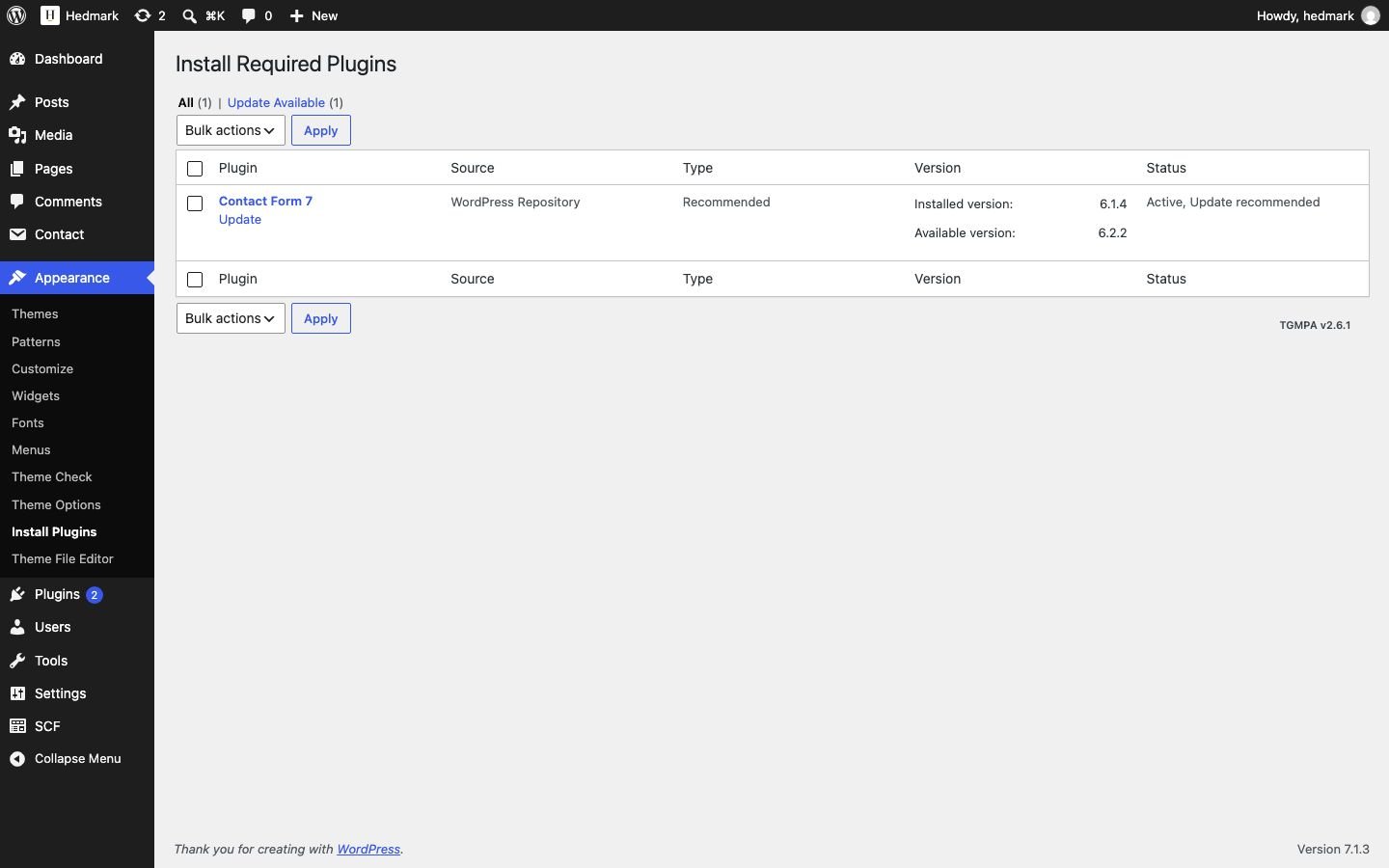
All plugins come from wordpress.org and are installed from Appearance › Install Plugins. Nothing is bundled inside the theme any more.
| Plugin | Required? | Used for |
|---|---|---|
| Redux Framework | Required | Theme Options panel and the one-click demo import. |
| Secure Custom Fields | Required | The Page Builder sections and the audio / video / gallery post fields. If you own ACF PRO (5 or 6), you can use it instead; Hedmark then does not ask for Secure Custom Fields. |
| Contact Form 7 | Optional | The form on the Contact page. Install it before the demo import if you want the demo form. |
2.Updating from Hedmark 1.x
Your posts, pages, widgets and Theme Options are kept. Hedmark 2.0 reads the same option name (hedmark_option) and the same custom field names, so nothing has to be re-entered.
- Make a backup of your site (files and database).
- Replace the theme: Appearance › Themes › Add New › Upload Theme ›
hedmark.zip› Replace active with uploaded. - Go to Plugins and deactivate the old Advanced Custom Fields 4 and Instagram Slider Widget.
- Appearance › Install Plugins: install and activate Secure Custom Fields. (Using ACF PRO? Keep it active instead.)
- Appearance › Widgets: put the new Hedmark Instagram Grid widget in the Instagram area and choose your photos (see Widgets).
3.One-click demo import
The importer creates the demo posts, pages, images, menu, widgets, Theme Options, the author profile and the site icon, so your site looks like the live demo. Use it on a new WordPress site.
- Install and activate the required plugins (and Contact Form 7 if you want the contact form).
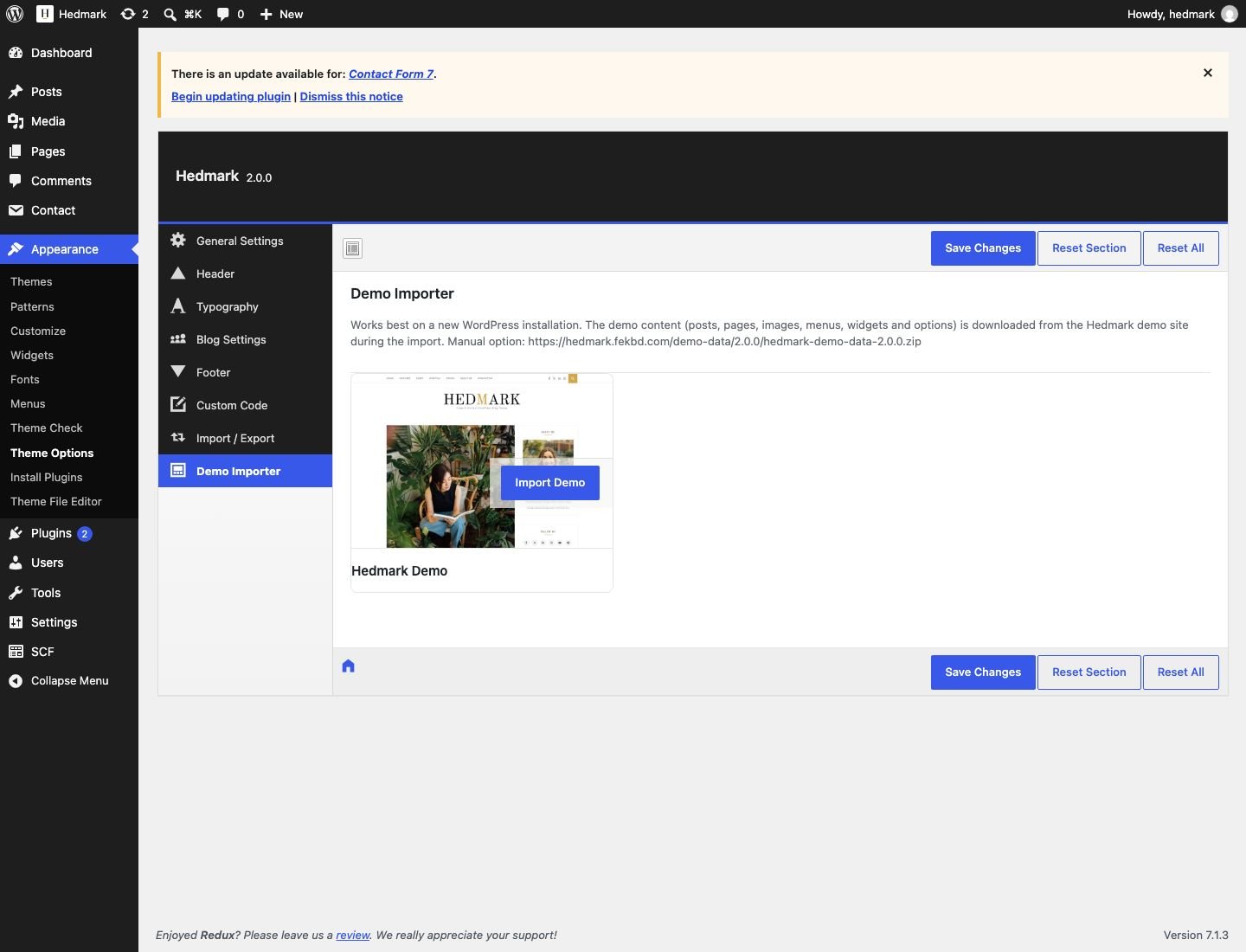
- Go to Appearance › Theme Options › Demo Importer.
- Hover over Hedmark Demo and click Import Demo. Wait until it says the import is complete (1–3 minutes; the images are downloaded).
- Visit your site. The front page shows the latest posts, like the demo.
How it works
- The demo files are downloaded from
https://hedmark.fekbd.com/demo-data/2.0.0/and checked (size and SHA-256) before anything is imported. - Post dates are refreshed: the newest post is dated one hour ago and the others follow, so your blog looks current.
- Links inside the demo point to your own site after the import; the gallery, the Instagram strip and the contact form are linked to the imported images and form.
- Safe to run again. A second import finds the posts, images and menu items from the first run instead of creating copies, and replaces the demo widgets.
If the download fails (manual import)
Some servers cannot download files from other sites. The importer then shows a message. In that case:
- Download
https://hedmark.fekbd.com/demo-data/2.0.0/hedmark-demo-data-2.0.0.zipon your computer and unzip it. - Upload the five files (content.xml, widgets.txt, theme-options.json, categories.json, authors.json) to
wp-content/uploads/hedmark-demo-data/2.0.0/with FTP or your host's file manager. - Click Import Demo again. The importer uses your uploaded files.
4.Theme Options
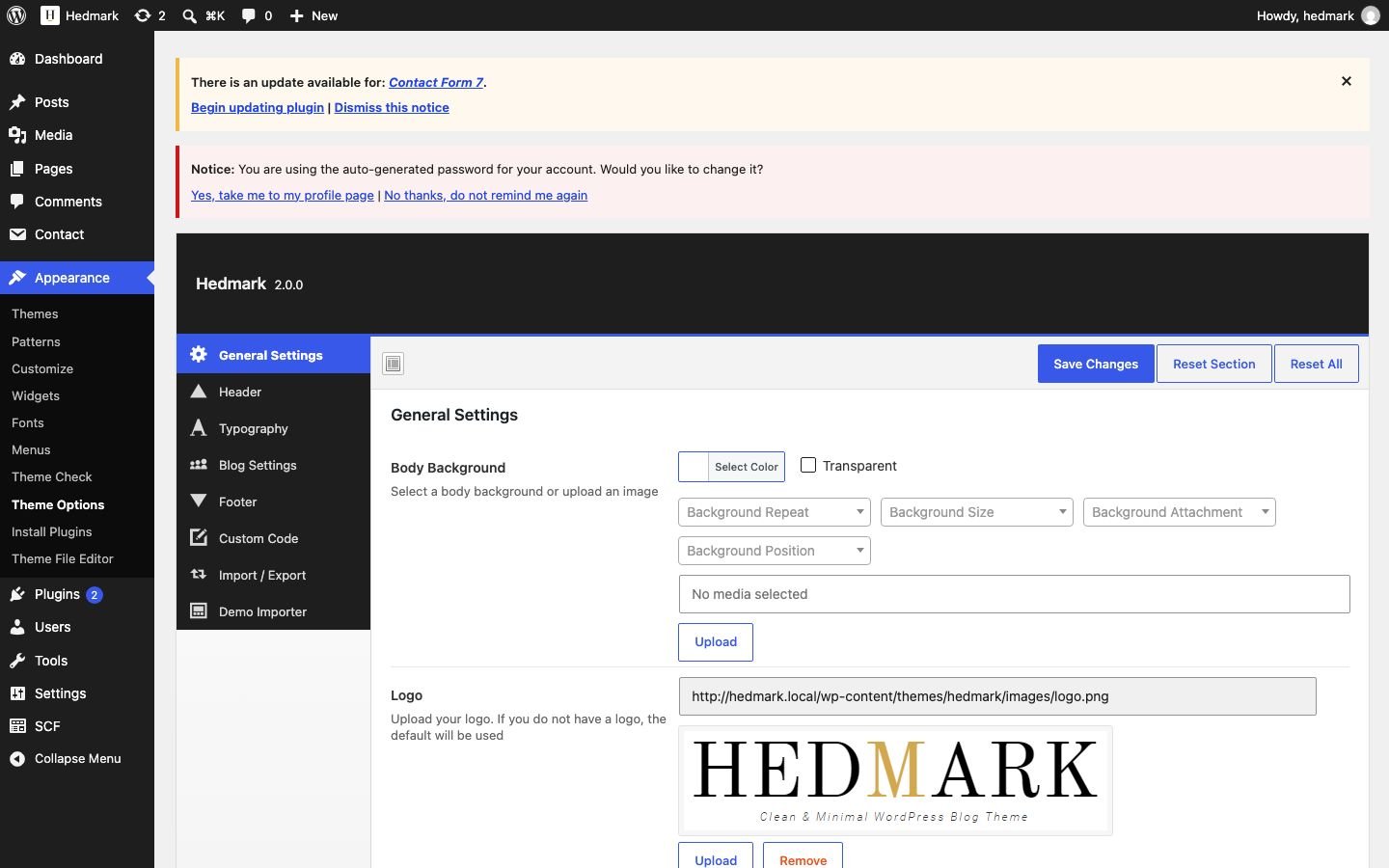
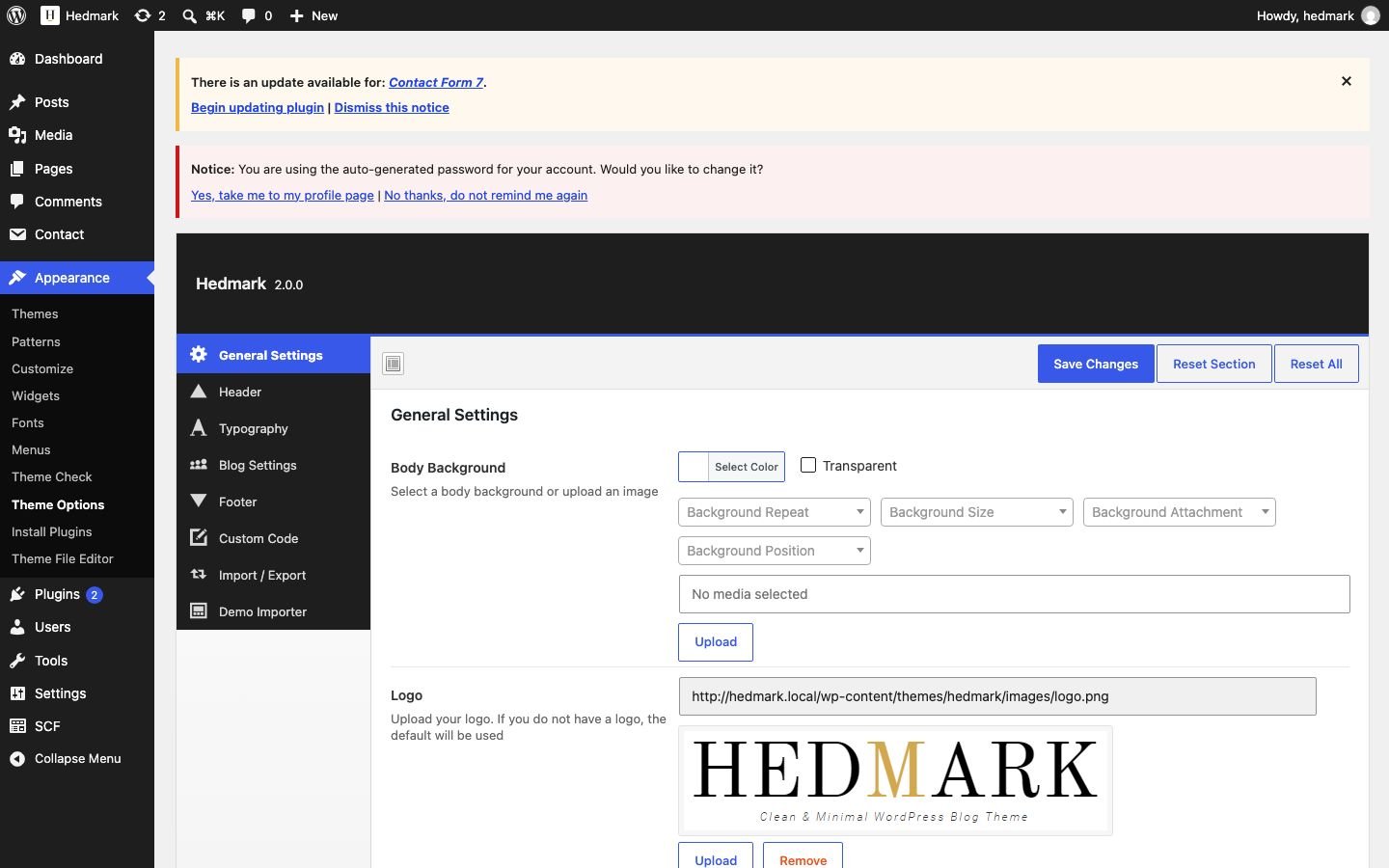
Open Appearance › Theme Options. Change a value and click Save Changes.
General Settings
| Option | What it does |
|---|---|
| Body Background | Background color or image of the main area. |
| Logo | Header logo image. Empty = the site title as text. |
| Favicon | Older option. Use Settings › General › Site Icon instead; it is used first. |
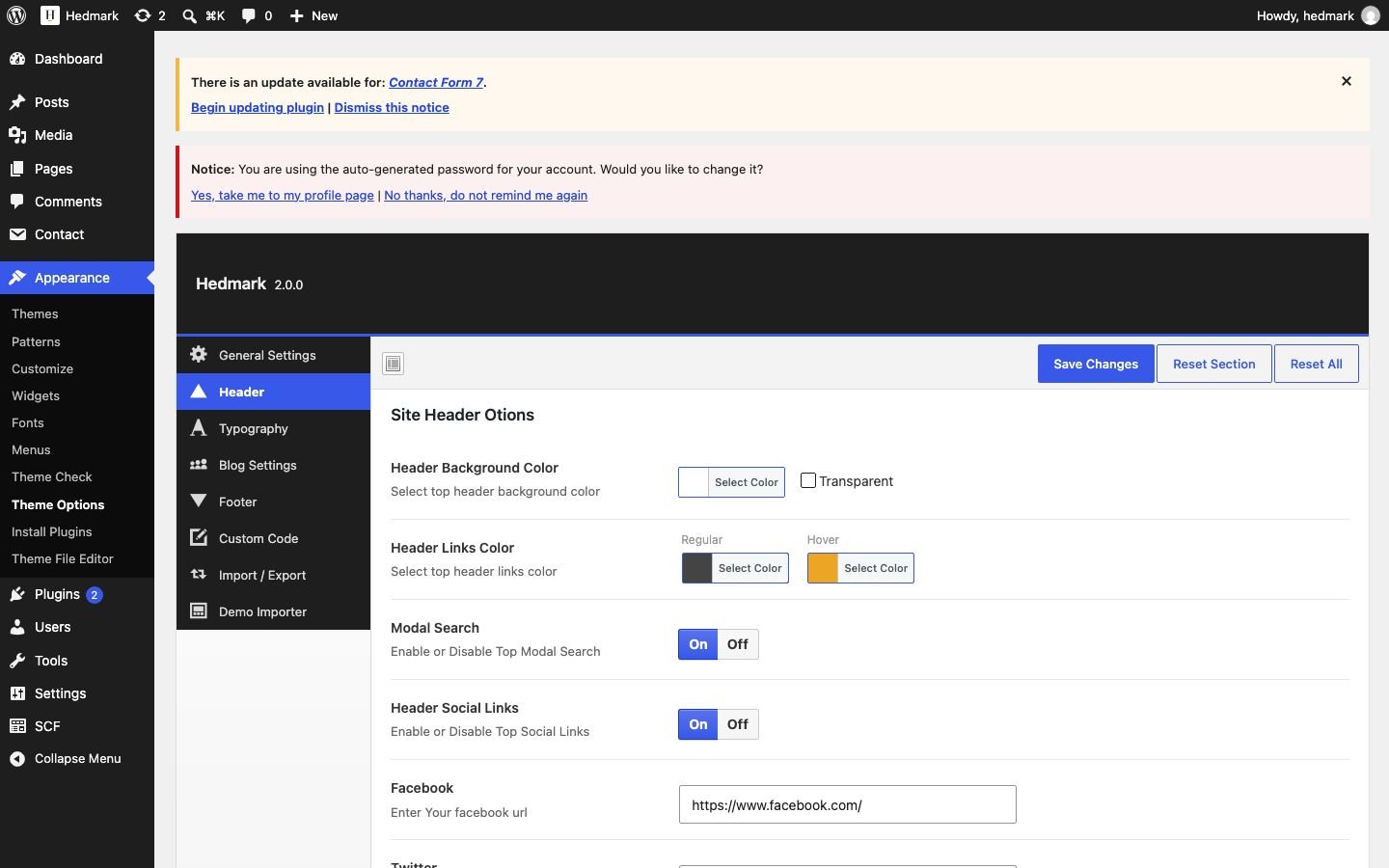
Header
| Option | What it does |
|---|---|
| Header Background Color | Color of the top bar with the menu. |
| Header Links Color | Menu link color and hover color. |
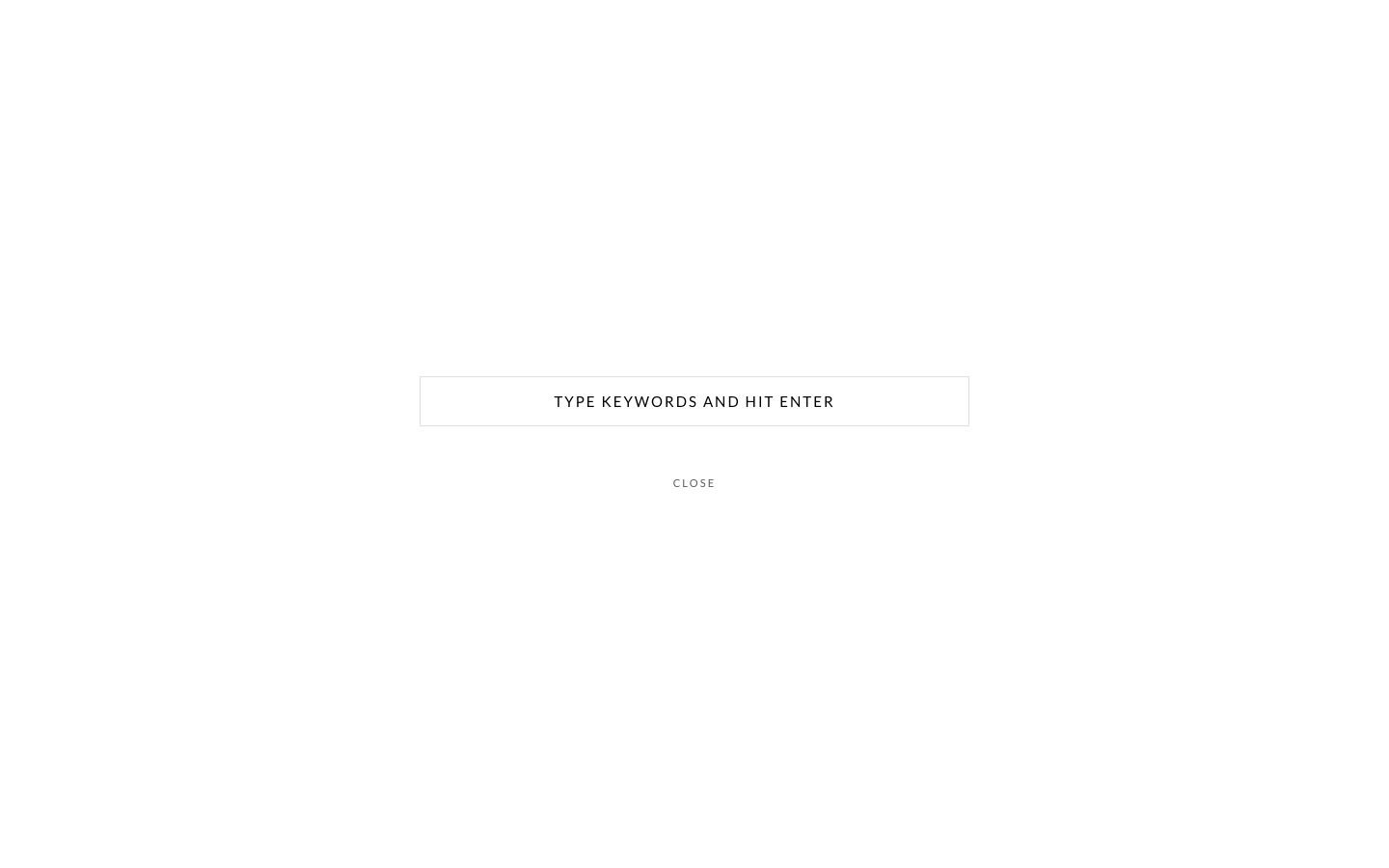
| Modal Search | Shows the search button. The search window covers the whole page; Esc closes it. |
| Header Social Links | Shows the social icons in the top bar. |
| Facebook / Twitter / LinkedIn / Instagram | Your profile URLs. Twitter shows the X logo. The Instagram URL is also used by the footer Instagram strip. |
Typography
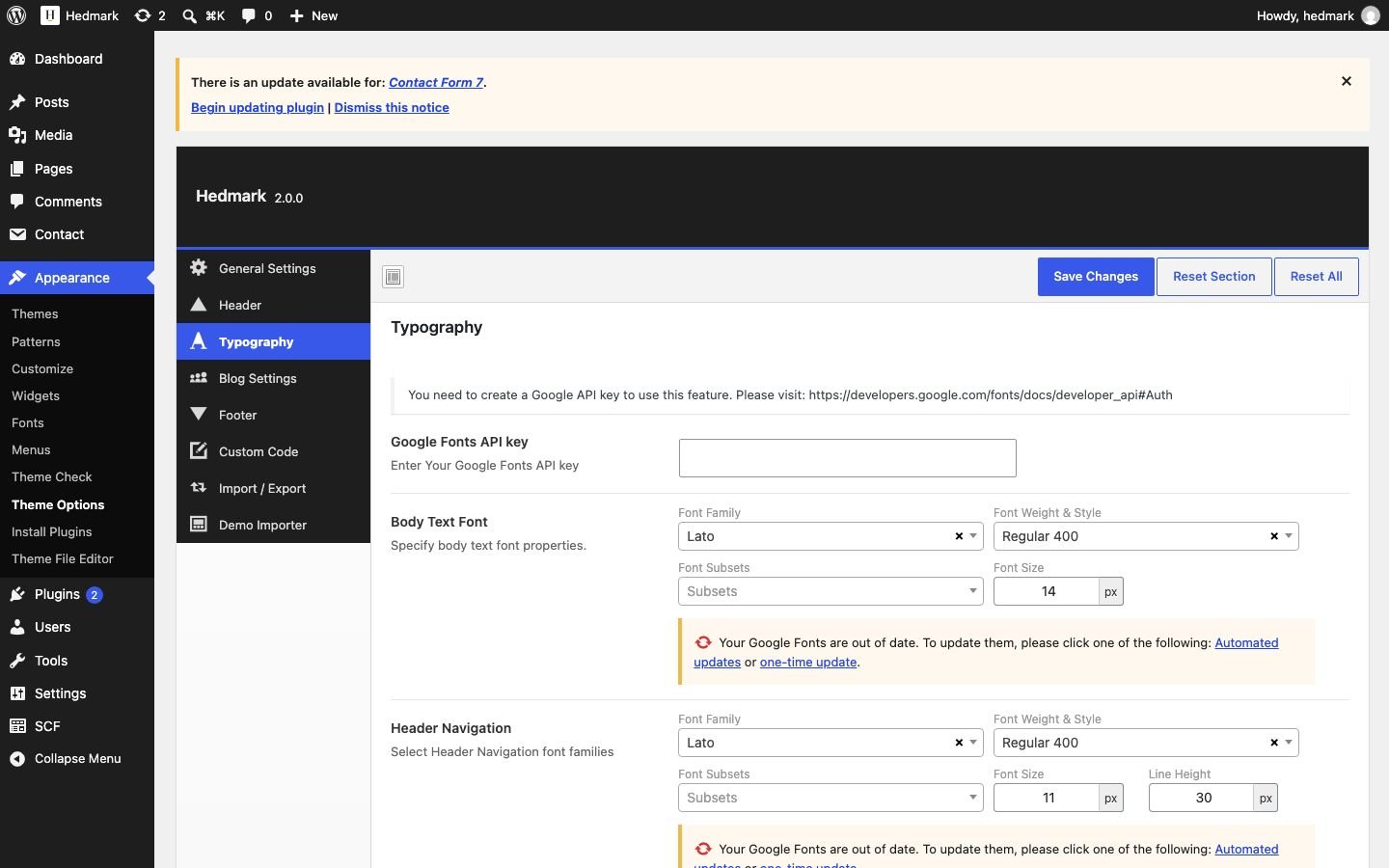
| Option | What it does |
|---|---|
| Google Fonts API key | Optional, only needed to see the full Google Fonts list in the panel. |
| Body Text | Font, size and weight of the text. |
| Navigation | Font of the top menu. |
| Site Titles | Headings (H1–H6), related posts, widget post titles. |
| Blog Titles | Post titles on the blog home. |
| Sidebar Fonts | Sidebar widgets. |
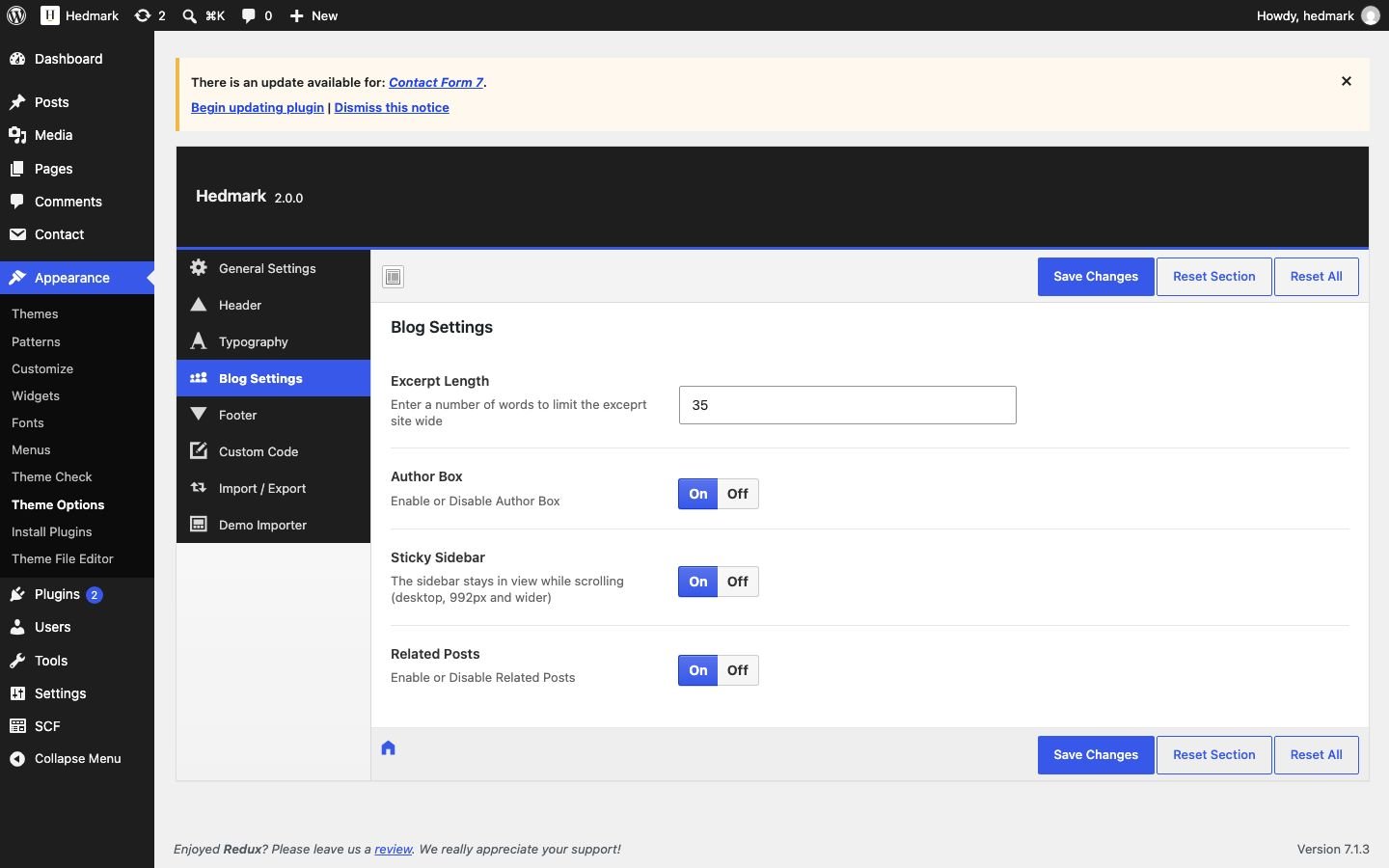
Blog Settings
| Option | Default | What it does |
|---|---|---|
| Excerpt Length | 35 | Words shown on the blog home and archives. |
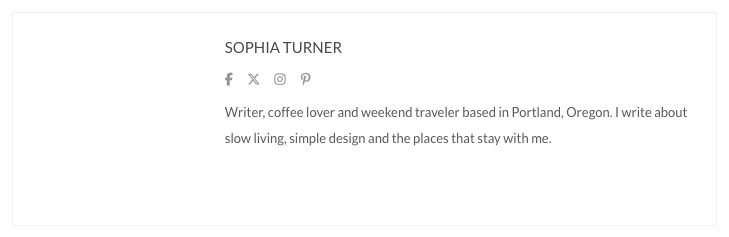
| Author Box | Off (on in the demo) | Author photo, name, social links and bio under single posts. |
| Sticky Sidebar | On | The sidebar stays in view while scrolling (screens 992 px and wider). Tall sidebars stick by their bottom edge. |
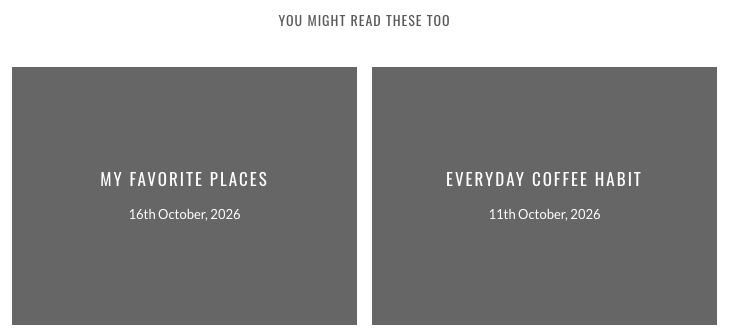
| Related Posts | On | Two posts from the same category under single posts. |
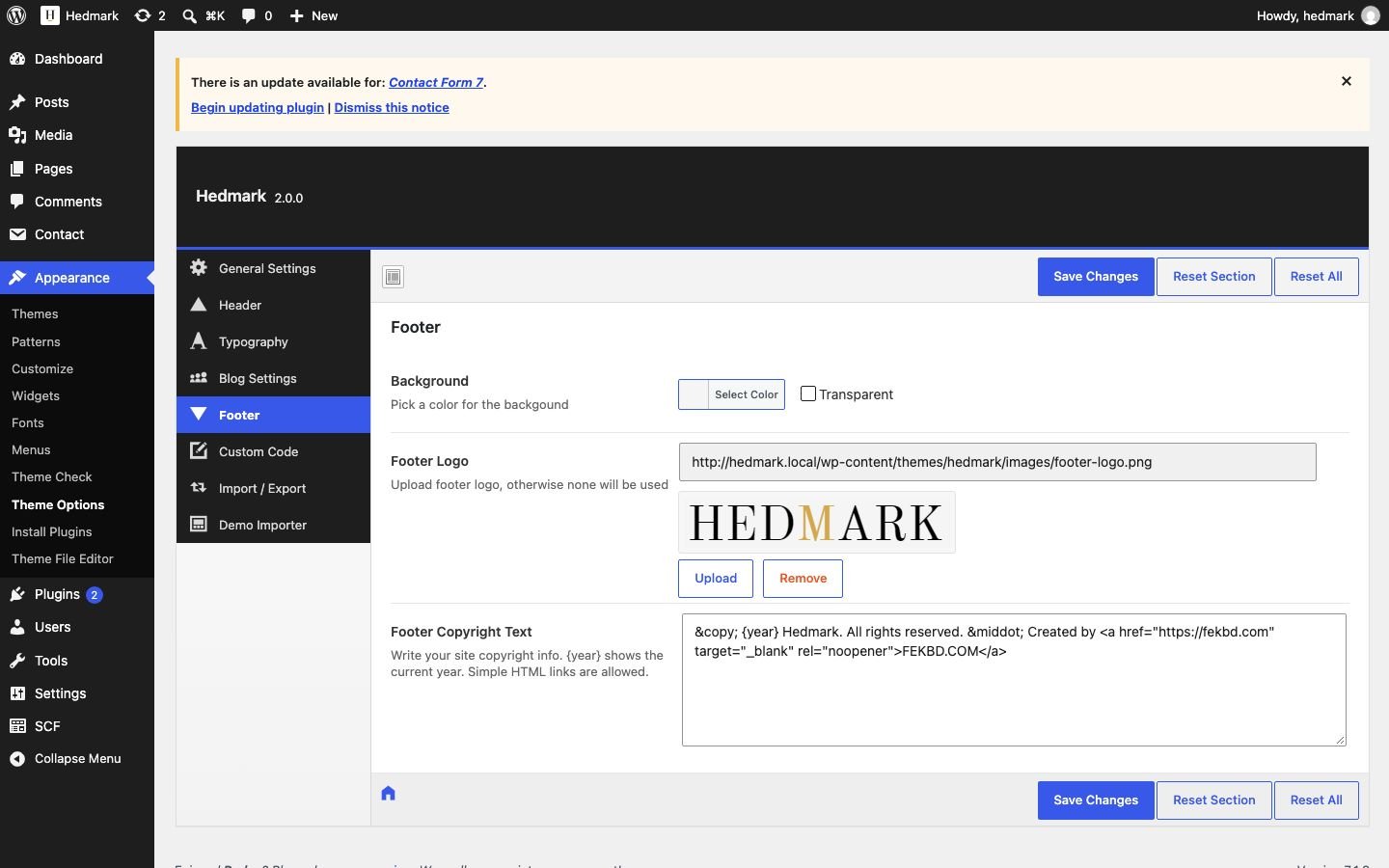
Footer
| Option | What it does |
|---|---|
| Background | Footer background color. |
| Footer Logo | Logo above the copyright line. Empty = no logo. |
| Footer Copyright Text | Use {year} for the current year. Simple links are allowed. Default: © {year} Hedmark. All rights reserved. · Created by <a href="https://fekbd.com">FEKBD.COM</a> – change or remove it freely. |
Custom Code and Import / Export
Custom CSS is added to every page. Custom JavaScript (header or footer) is for tracking codes – do not include the <script> tags. Import / Export saves or restores all Theme Options as a file.
5.Posts and post formats
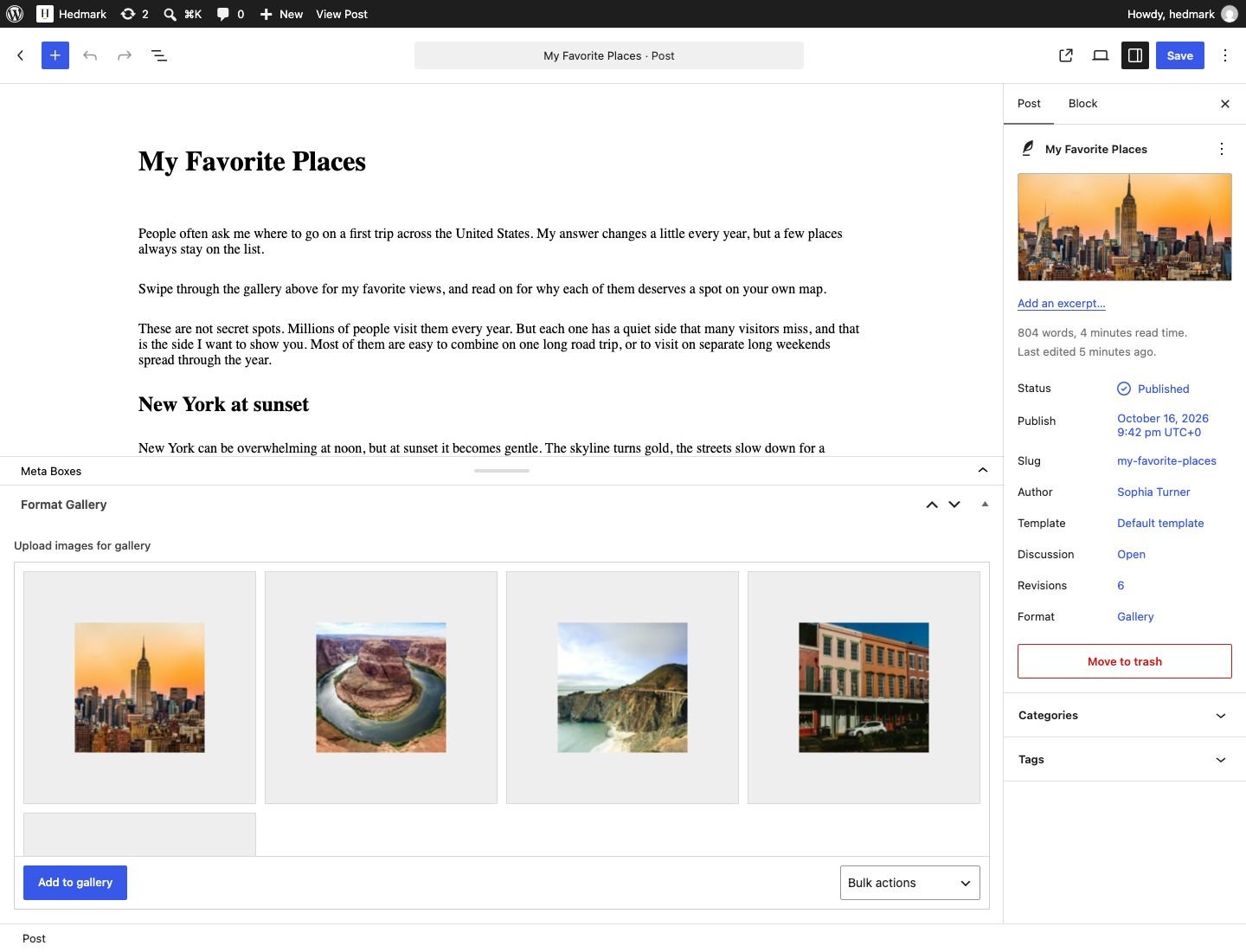
Write posts in Posts › Add New. Set a Featured image (about 1200 px wide) – it is shown on the blog home, in widgets and on the single post.
| Format | How to use it |
|---|---|
| Standard | Featured image + text. |
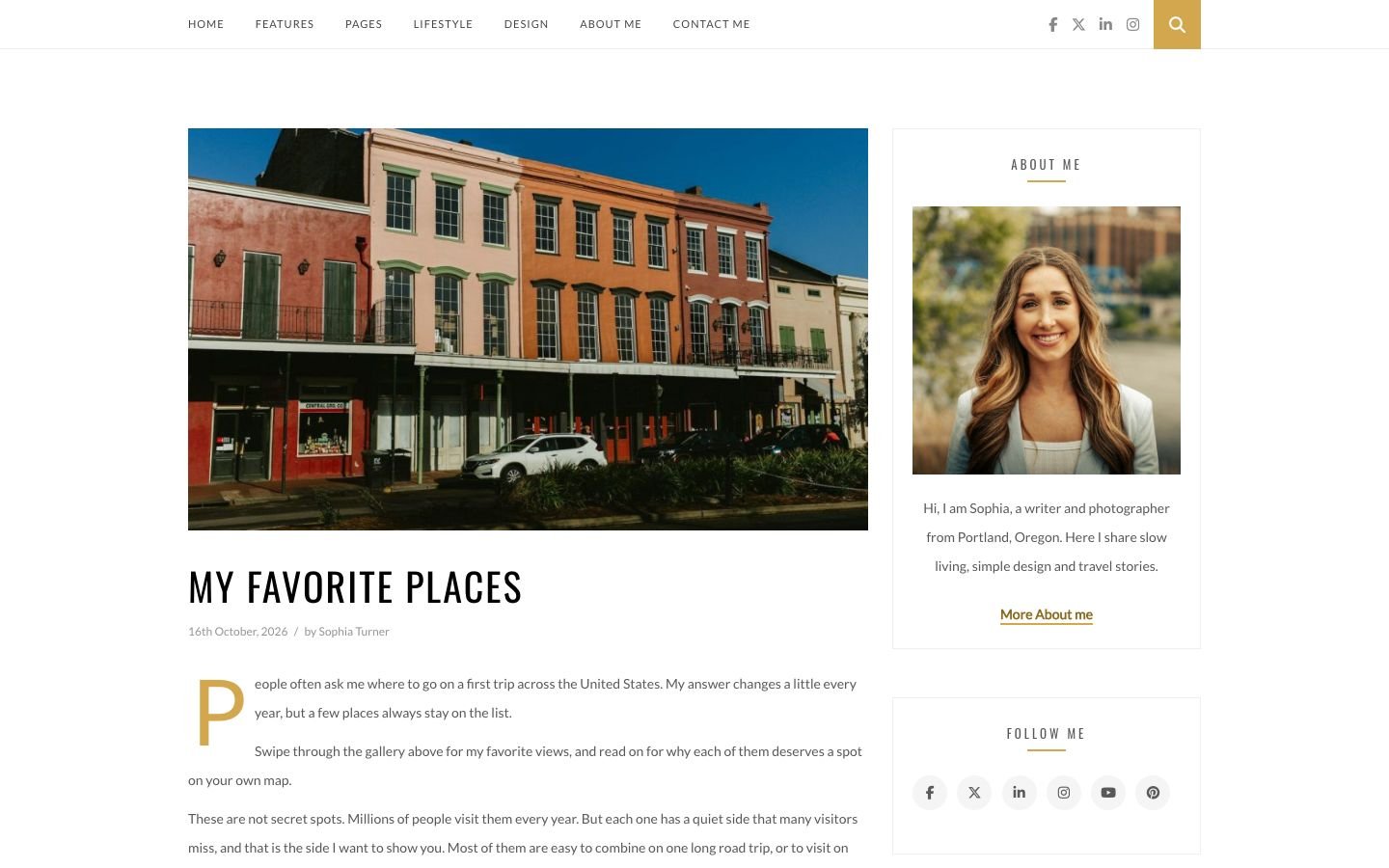
| Gallery | Choose the format Gallery, then add photos in the Format Gallery box below the editor. They are shown as a slider. |
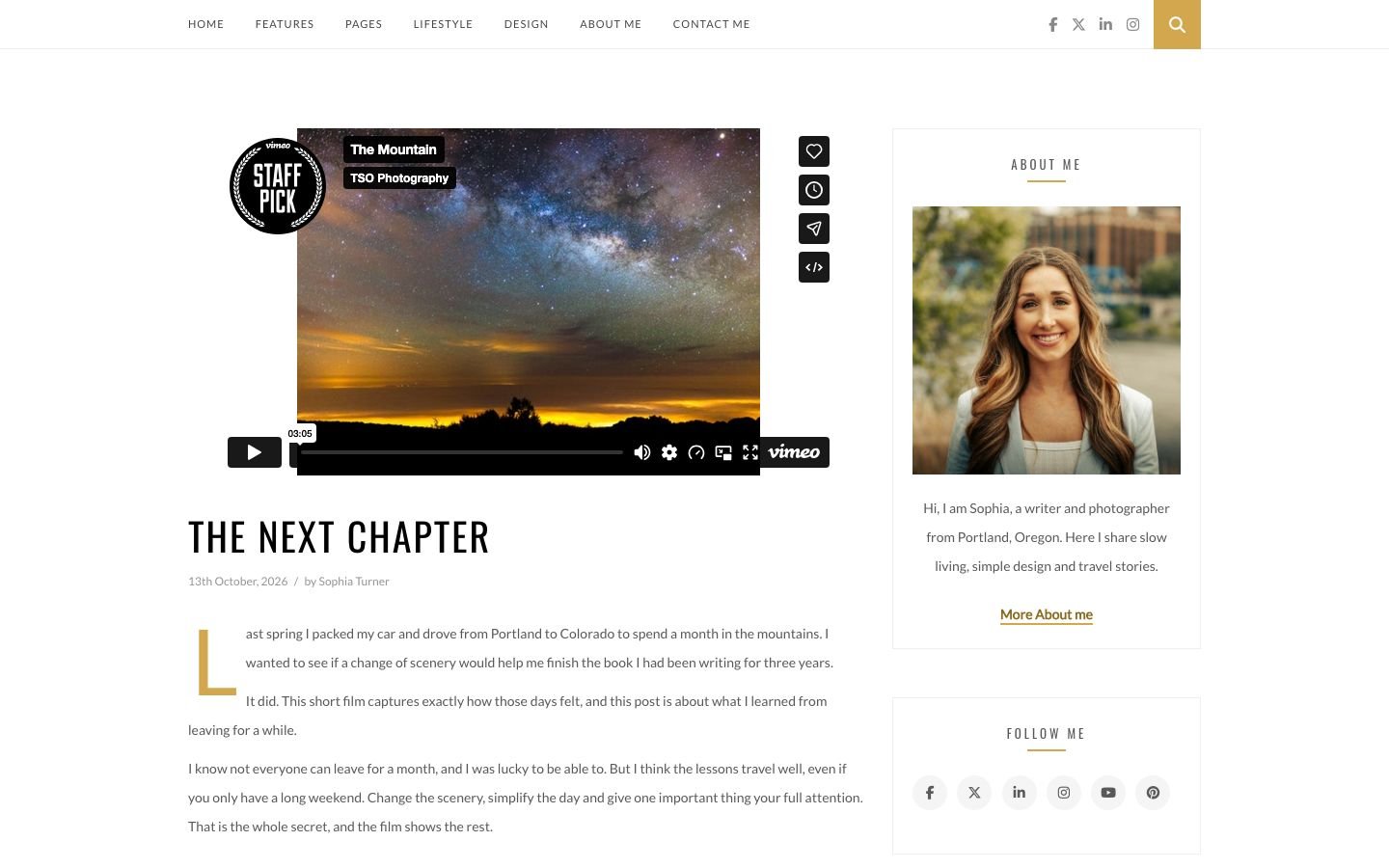
| Video | Format Video, then paste a YouTube or Vimeo page URL in Add Video. |
| Audio | Format Audio, then paste a SoundCloud URL in Add SoundCloud Audio. |
6.Page Builder template
The Page Builder template builds a page from sections, like the demo's List and Standard pages.
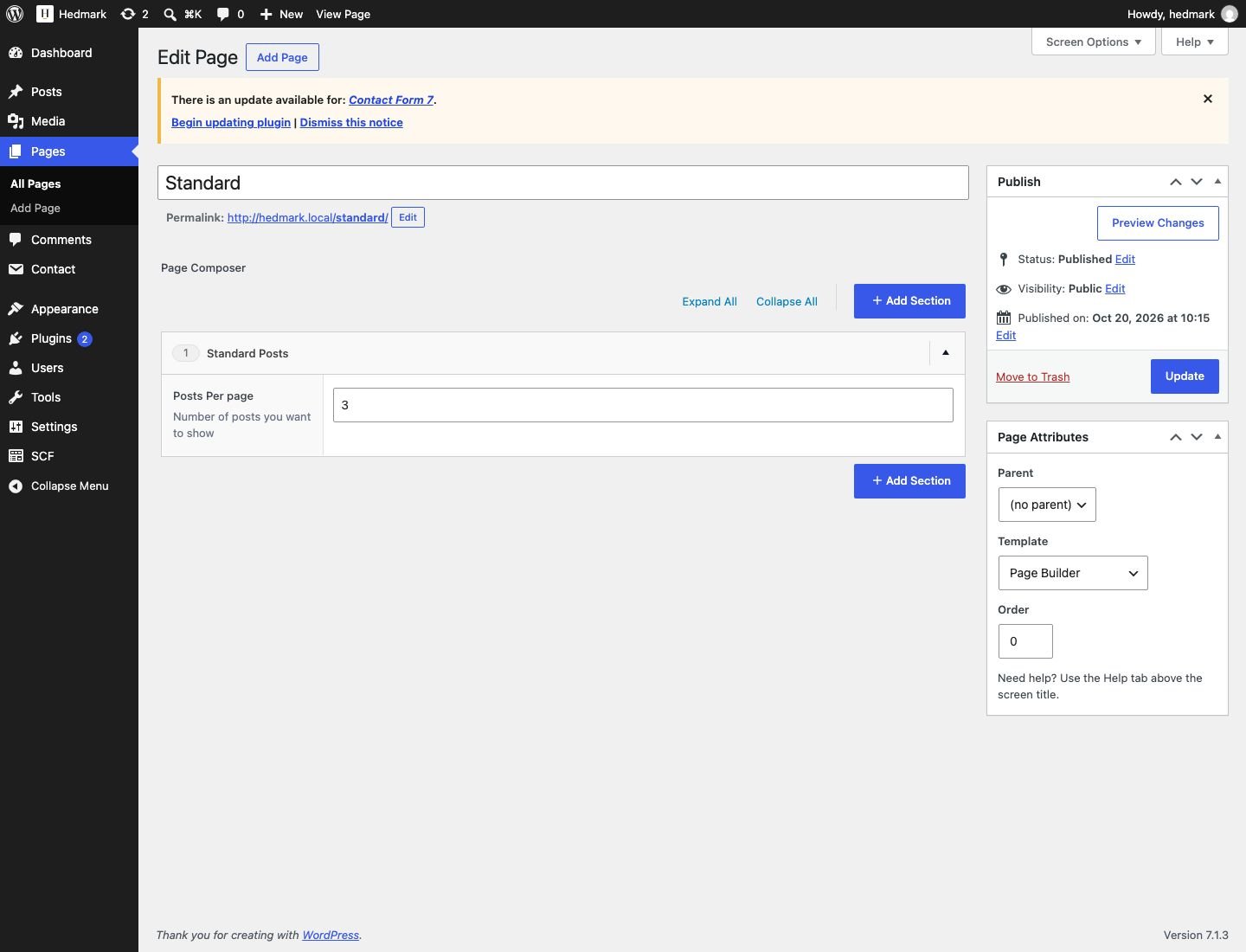
- Pages › Add New. In Page Attributes › Template choose Page Builder and save. The page switches to the builder screen.
- Click Add Section and pick a section. Add as many as you like and drag them to reorder.
- Publish. Page Builder pages are full width (no sidebar).
| Section | Settings | Shows |
|---|---|---|
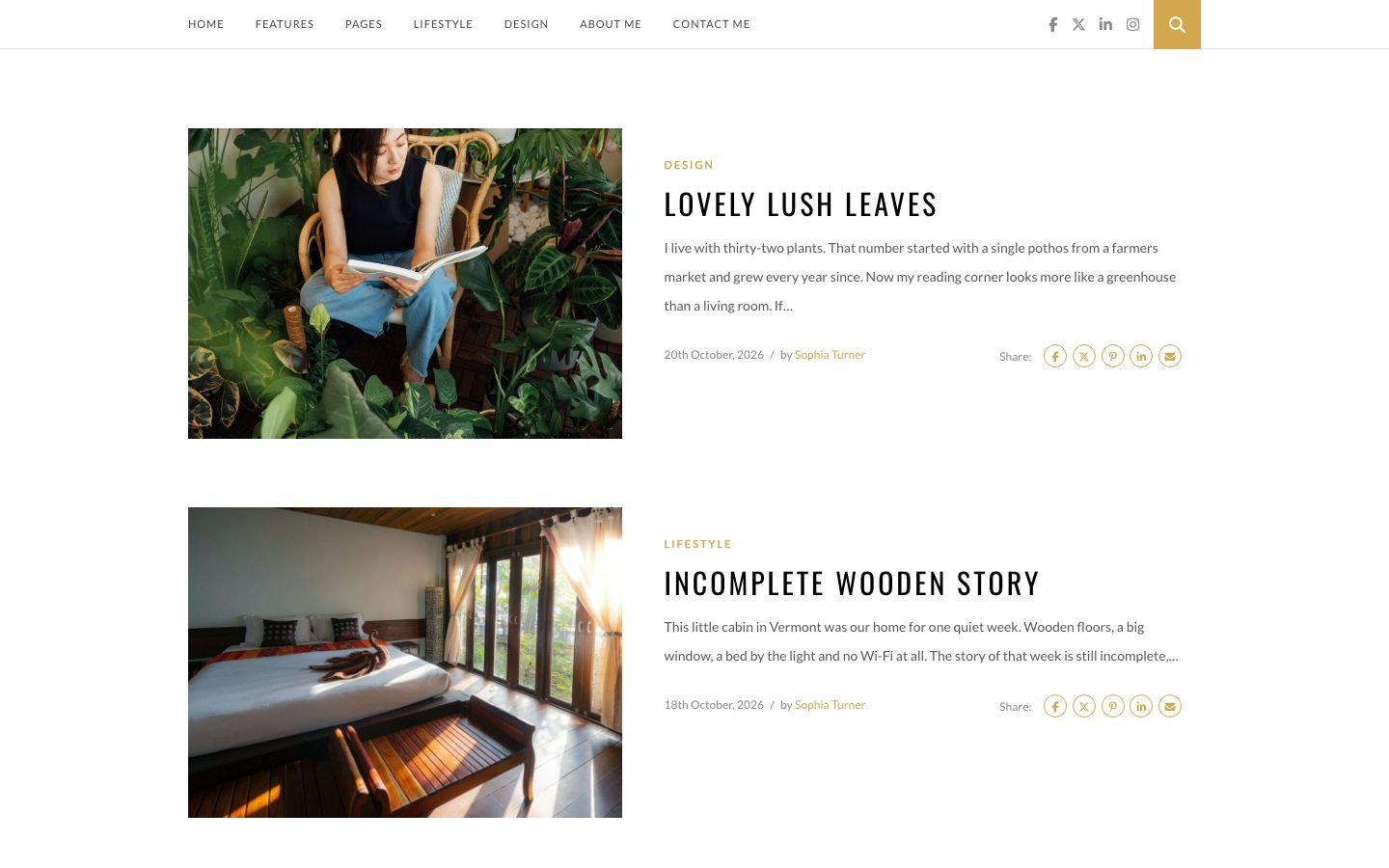
| Standard Posts | Posts Per page | Latest posts with large images, like the blog home. |
| List Posts | Posts Per page | Latest posts as a list: image on the left, text on the right (stacked on phones). |
| WP Editor | Editor | Free text, images or shortcodes. |
7.Pages, About and Contact
| Template | Use |
|---|---|
| Default | Full-width page with the featured image as title banner. |
| Page with Sidebar | Content on the left, the sidebar on the right. |
| Blank Page Template | Page without the logo area, for landing pages. |
| Page Builder | Sections (see Page Builder). |
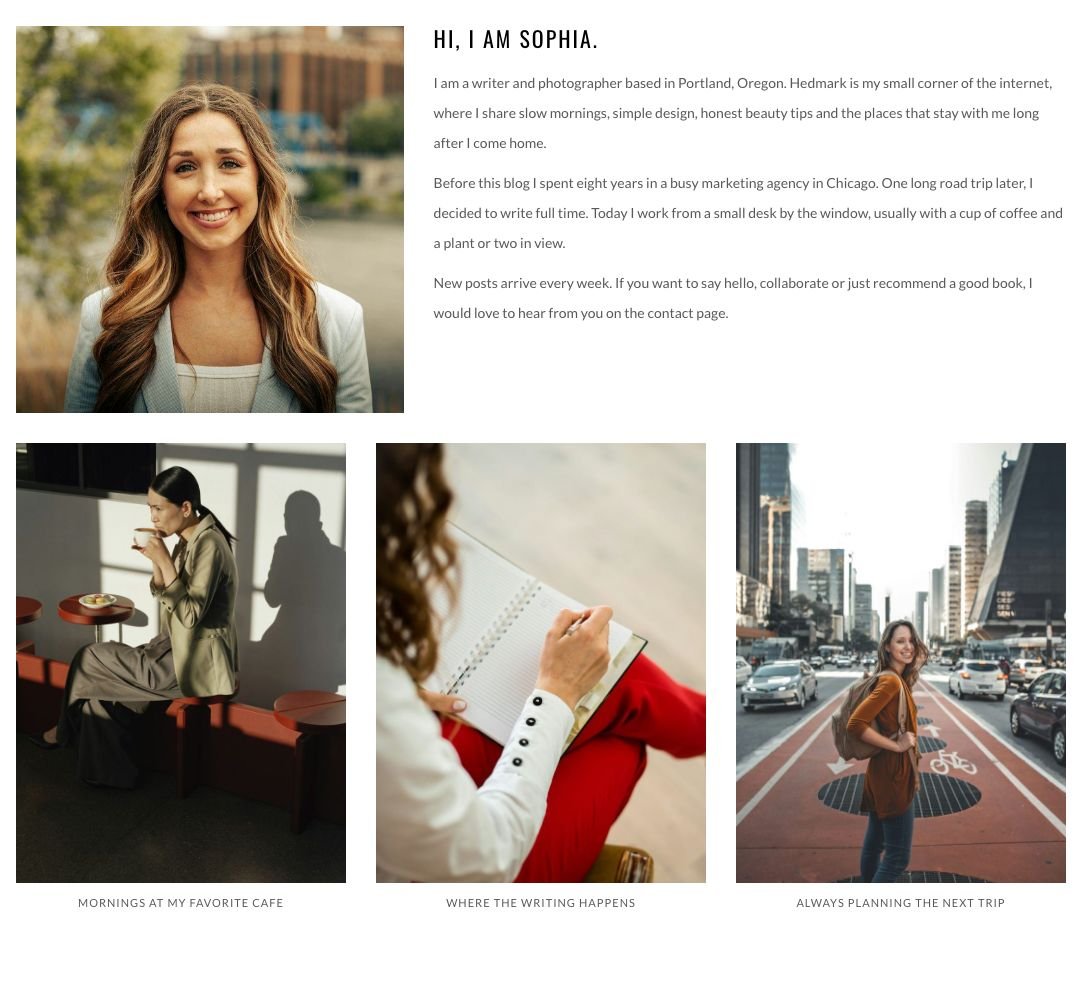
The demo About Me and Contact Me pages use normal WordPress blocks (Columns, Image, List), so you can edit every word and photo in the block editor.
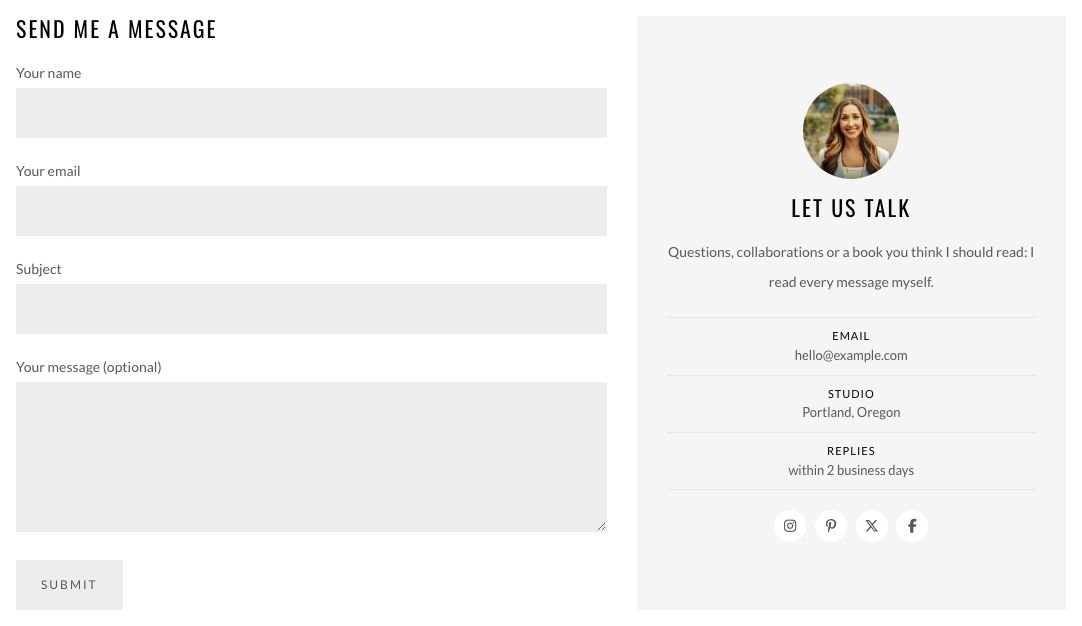
hello@example.com, the city and the social links in the contact card with your own details.8.Widgets
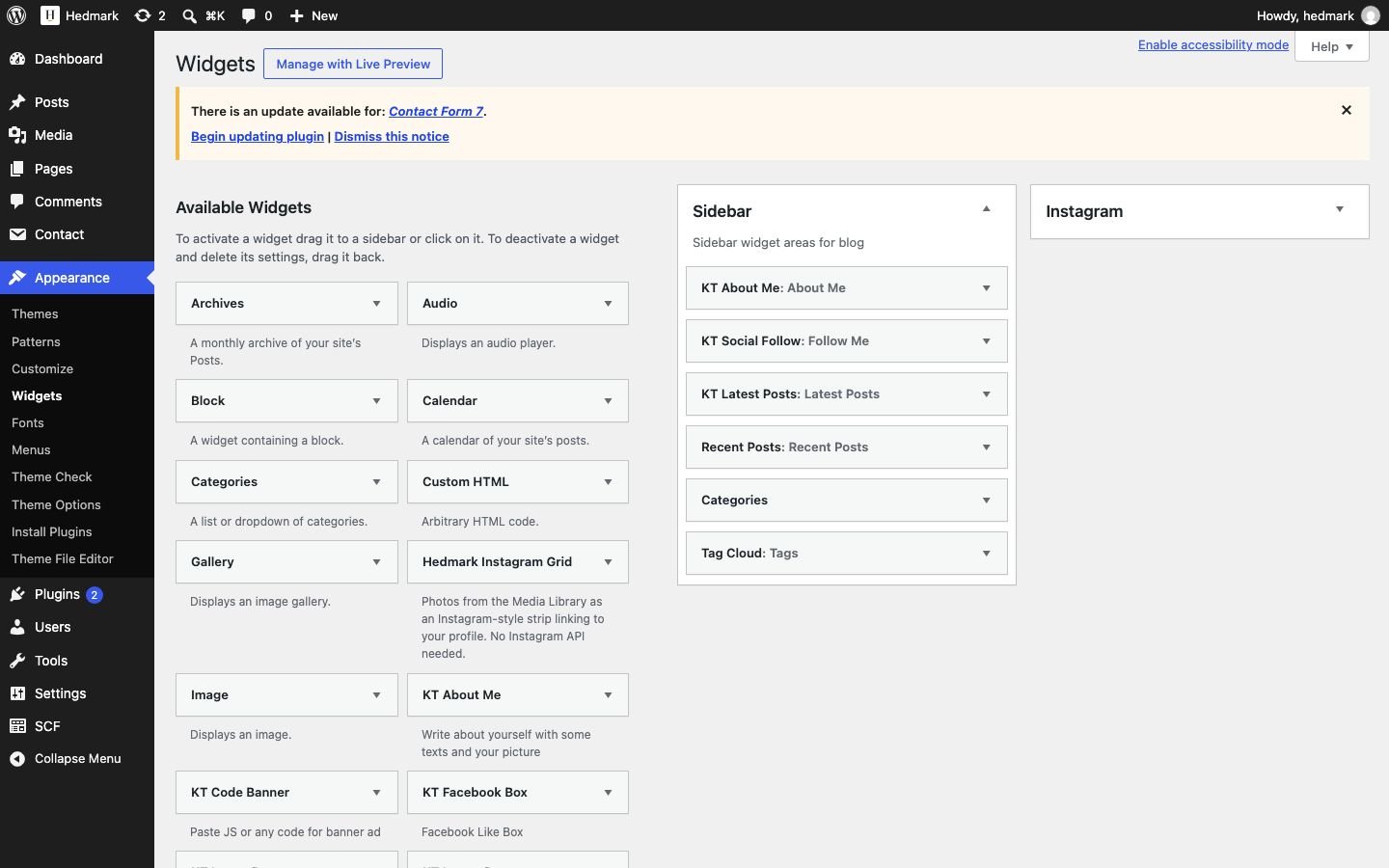
Appearance › Widgets has two areas: Sidebar and Instagram (the full-width photo strip above the footer).
| Widget | Settings |
|---|---|
| KT About Me | Title, Image URL, short text, Link text (default “More About me”; empty = no link) and Link URL (empty = your About page). |
| KT Social Follow | Profile URLs (Facebook, X, LinkedIn, Instagram, YouTube, Pinterest and more), center icons, open in a new window. |
| KT Latest Posts | Number of posts, shown as image cards with title and date. |
| KT Image Banner | Image URL, link, hide title. |
| KT Code Banner | Ad code (for example Google AdSense). |
| KT Facebook Box | Facebook page name. |
| Hedmark Instagram Grid | Title, photos (click Choose photos), photos per row (6 in the demo), profile link (empty = the Instagram URL from Theme Options). |

9.Menu
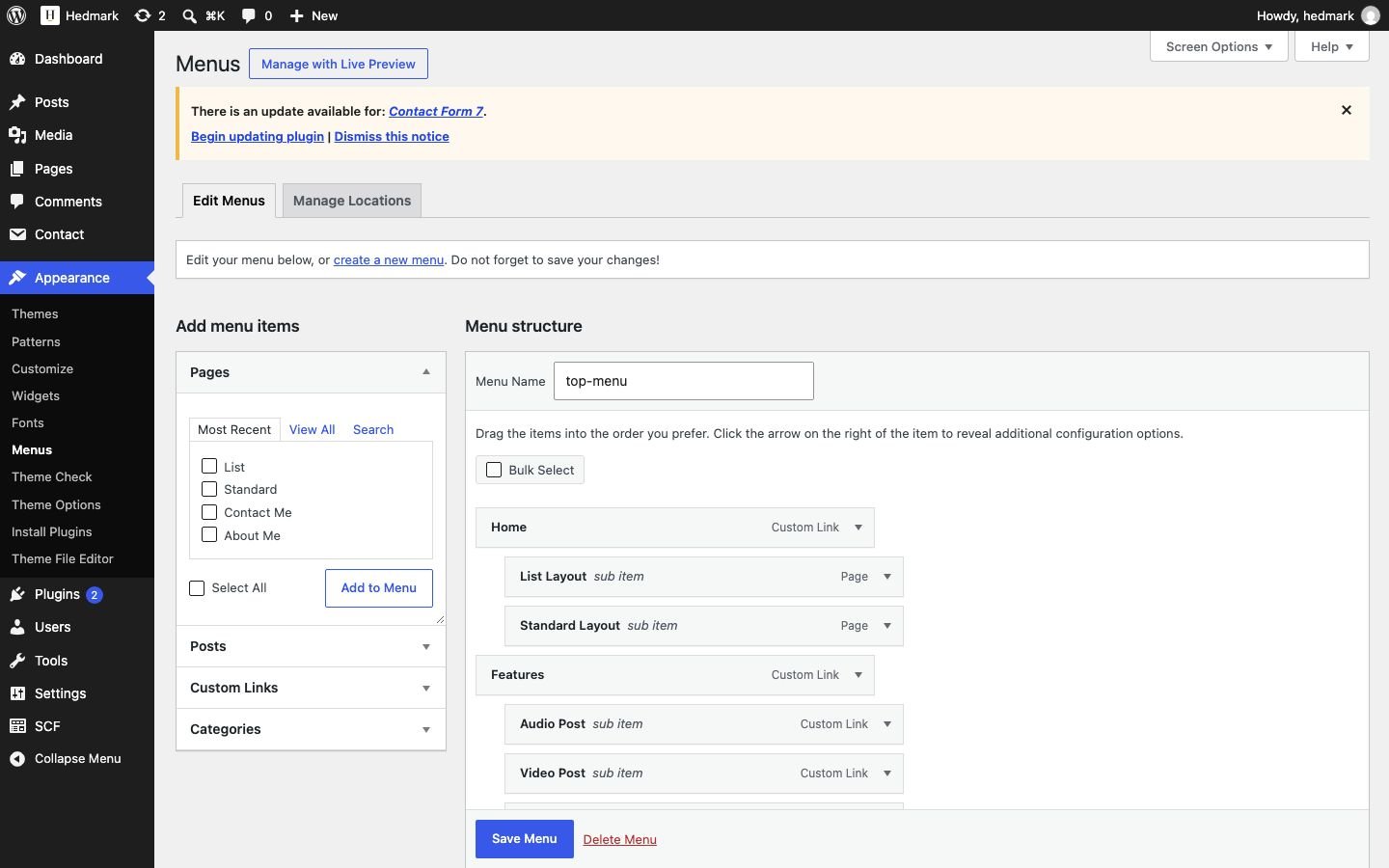
- Appearance › Menus: create a menu and add pages, categories or custom links.
- Tick Top Nav under Menu Settings and save.
- Drop-downs: drag an item slightly to the right under another one.
10.Author box and profile photo
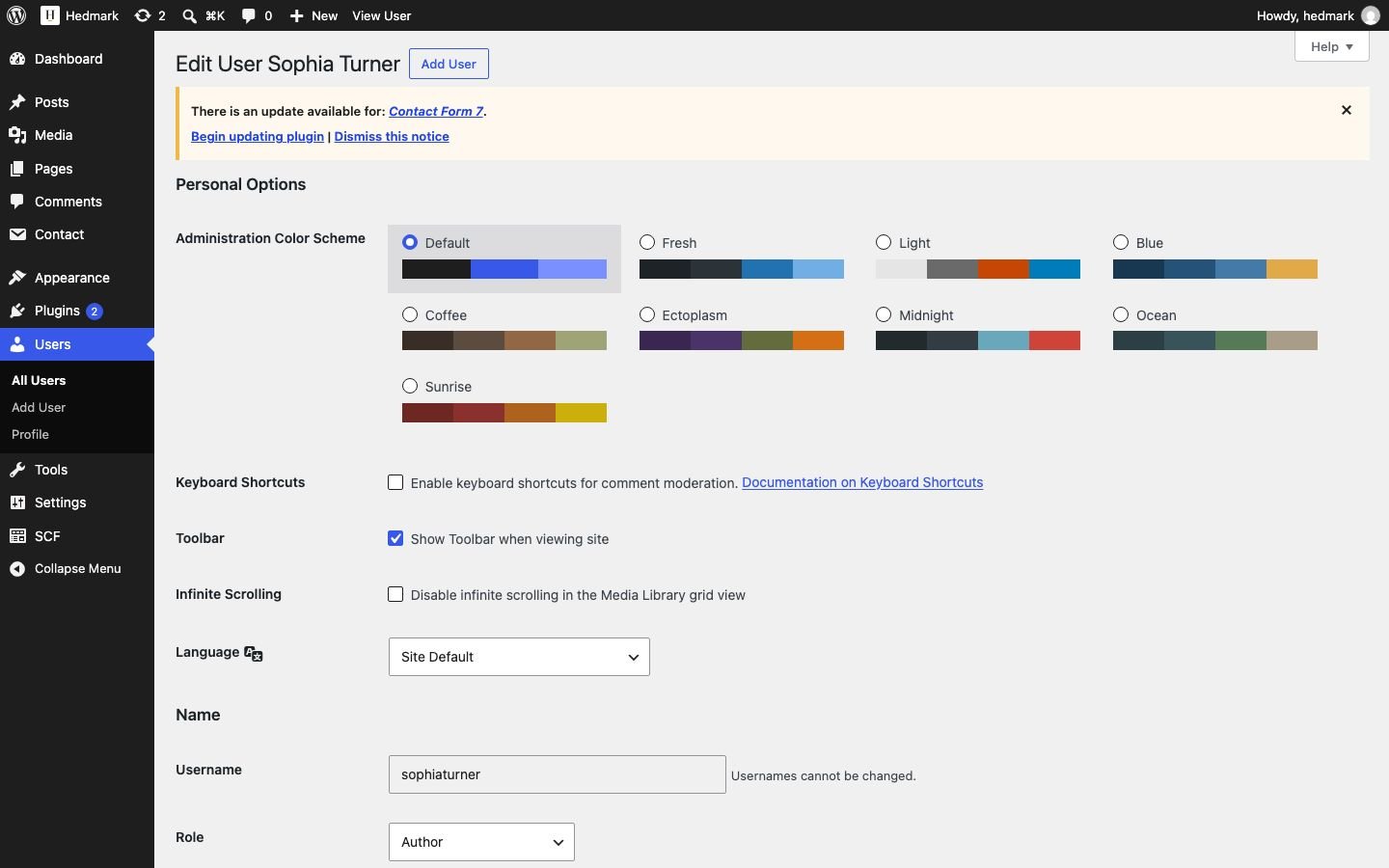
Users › Profile (or edit another user) has a Hedmark section: Profile Photo (used instead of Gravatar) and social profiles (a user name or a full URL). Write a short bio in Biographical Info. Turn the box on in Theme Options › Blog Settings › Author Box.
11.Speed tips
- Hedmark loads no jQuery on most pages and only a 6 KB icon font. Keep it light: avoid plugins that add sliders or page builders on every page.
- Upload photos about 1200–1600 px wide (JPG quality 80 or WebP). WordPress creates the smaller sizes and the browser picks the right one.
- Use a cache plugin (for example LiteSpeed Cache on LiteSpeed hosting, or WP Super Cache).
- Icons: the theme ships a small subset of Font Awesome 7 Free. Need other icons in your own content? Add
add_filter( 'hedmark_full_font_awesome', '__return_true' );to a child theme to load the full set.
12.Translation and child theme
All theme texts use the text domain hedmark. Translate them with the Loco Translate plugin, or create hedmark-xx_XX.po/.mo files in wp-content/languages/themes/. For code changes use a child theme so updates do not overwrite them.
13.FAQ and troubleshooting
| Question | Answer |
|---|---|
| The Page Builder sections are not shown in the page editor. | Activate Secure Custom Fields (or ACF PRO), then choose the template Page Builder and save the page. |
| My old Page Builder pages are empty after updating. | They are not: the content is still saved. Activate Secure Custom Fields to edit them; the front end shows them in any case. |
| The demo import stops with a download message. | Use the manual import (One-click demo import › If the download fails). |
| The Instagram strip is empty. | Add the Hedmark Instagram Grid widget to the Instagram area and choose photos. |
| The year in the footer is old. | Write {year} in Footer Copyright Text. |
| I see a notice about ACF 4. | Deactivate the old Advanced Custom Fields 4 and activate Secure Custom Fields. |
14.Changelog
2.0.0 – October 2026
- PHP 8.2–8.5 and WordPress 7.1: no warnings or notices.
- Page Builder and post format fields on Secure Custom Fields / ACF PRO (same field names; nothing bundled). Fixed: the WP Editor section printed nothing.
- New Hedmark Instagram Grid widget (no Instagram API); the dead Instagram Slider plugin is no longer installed.
- One-click demo import from hedmark.fekbd.com with checks, manual fallback, fresh dates and safe re-runs.
- New: sticky sidebar, author profile photo, author box with social links, “More About me” link in the About Me widget.
- Search window covers the whole page and works with the keyboard.
- Faster: no jQuery on most pages, Bootstrap 3.4.1 CSS, Font Awesome 7 icon subset (X logo), lazy images and players.
- Security: escaped output, sanitized widget settings, nonce on profile fields.
- Google+ removed from the front end; phones: List layout and 404 page fit narrow screens.
1.1
Previous release.
15.Support and credits
Questions? Visit fekbd.com. Please include your WordPress and PHP version and a link to the page.
| Library | Licence |
|---|---|
| Bootstrap 3.4.1 | MIT |
| Font Awesome Free 7.3.1 (subset) | Icons CC BY 4.0, fonts SIL OFL 1.1, code MIT |
| bjqs 1.3 | GPL / MIT |
| TGM Plugin Activation 2.6.1 | GPL-2.0+ |
| Redux demo importer extension, WordPress Importer | GPL |
Demo photos (live demo and demo import only; Unsplash License): Troy Spoelma (author portrait), GN Group (cafe), Kateryna Hliznitsova (desk), Guilherme Stecanella (city), Sincerely Media, Lauren Sauder, Sixteen Miles Out, Kailun Zhang, Zach Reiner, Julian, Fer Troulik, Declan Sun, Taisiia Stupak, Kadarius Seegars, Fahmi Fakhrudin, Davey Gravy, Ryan Mayer, Joseph Corl, Mike Chavarri, Wendell Fernandes, Fujiphilm, Tamara Bellis, Tânia Mousinho, Priscilla Whendy, Jason Mavrommatis, Geio Tischler, Diego Arenas de Rodrigo, Antonio Araujo and the photographers of the Unsplash photos used on the demo travel posts.
No section matches your search. Try another word, for example "menu", "widget" or "gallery".